Installation FAQ
Go through the installation step by step to start again from a clean slate.
Read
Permission denied message when enabling alerts? Restore the camera and microphone permissions for sayseeshow.io in your browser, in Chrome or on Android.
If you get the permission denied alert message when enabling alerts, it is because the application did not obtain permission to access your camera and microphone during installation.
The sayseeshow.io application uses your web browser to display its interface and communicate with the other smartphones: the application therefore needs your permissions at browser level. Here is how:
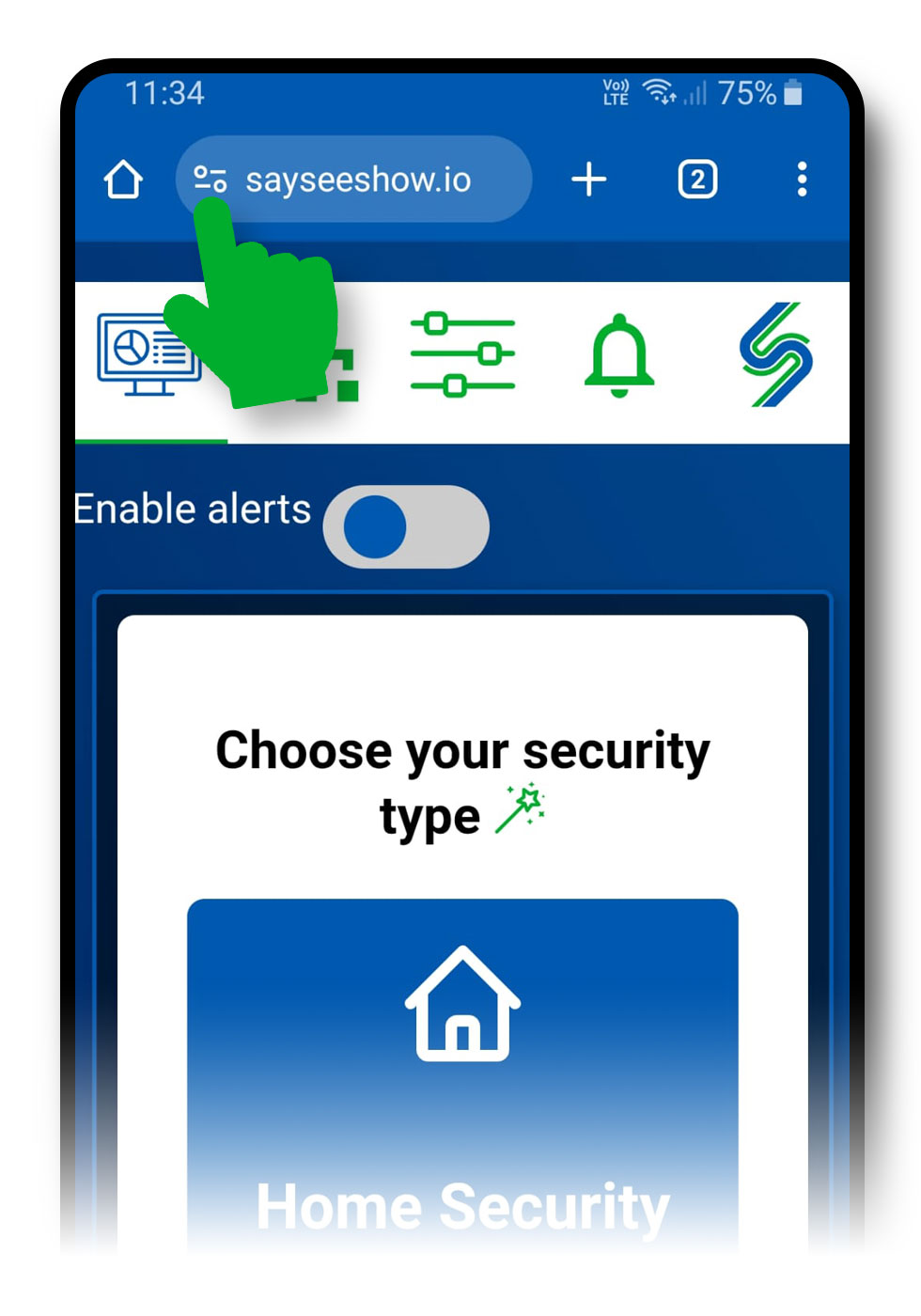
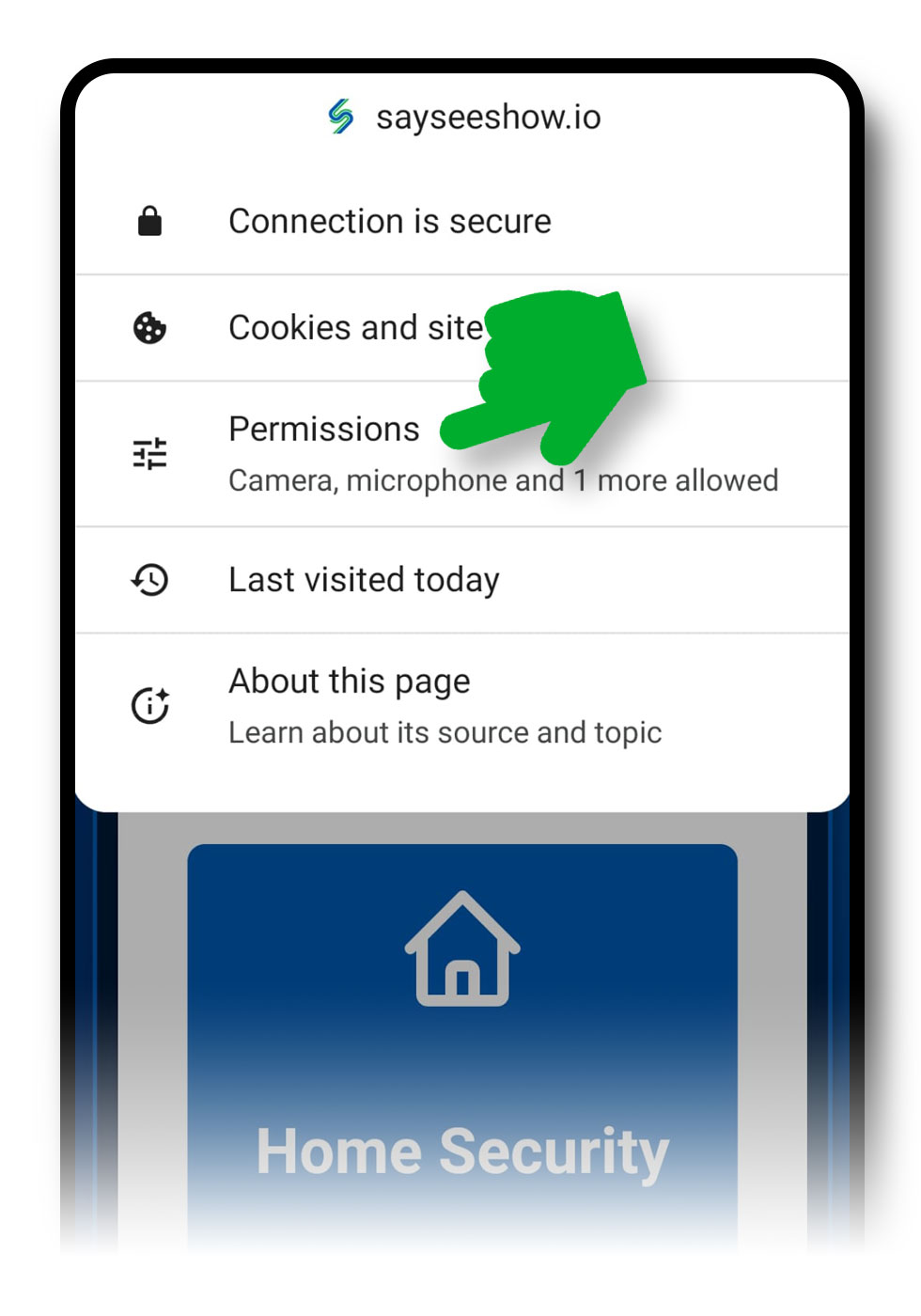
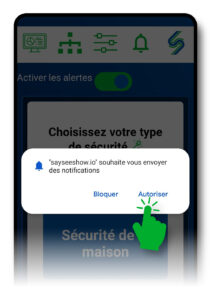
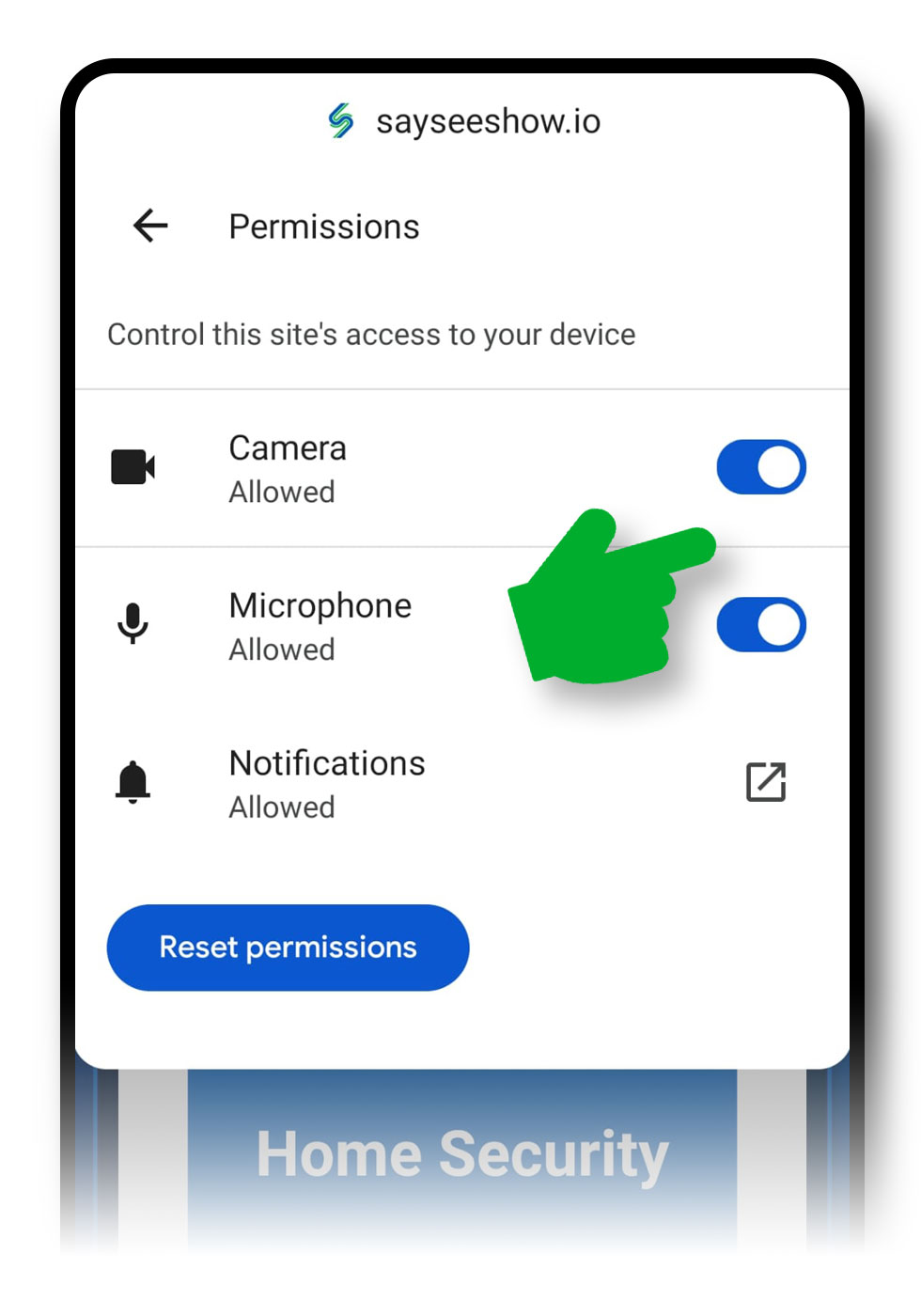
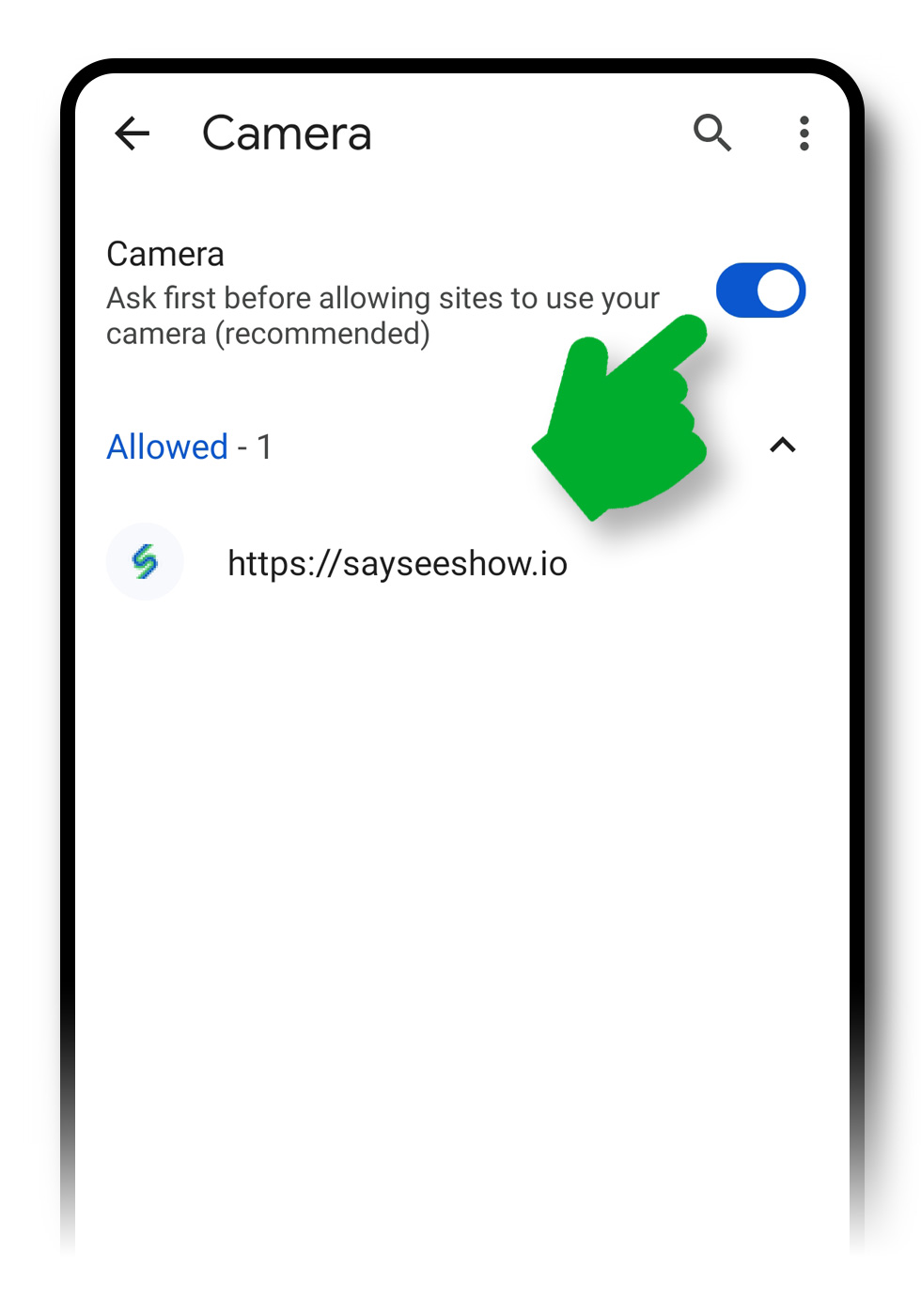
Same cause: the application did not get permission to access your camera and microphone during installation. You can fix this in your browser settings:
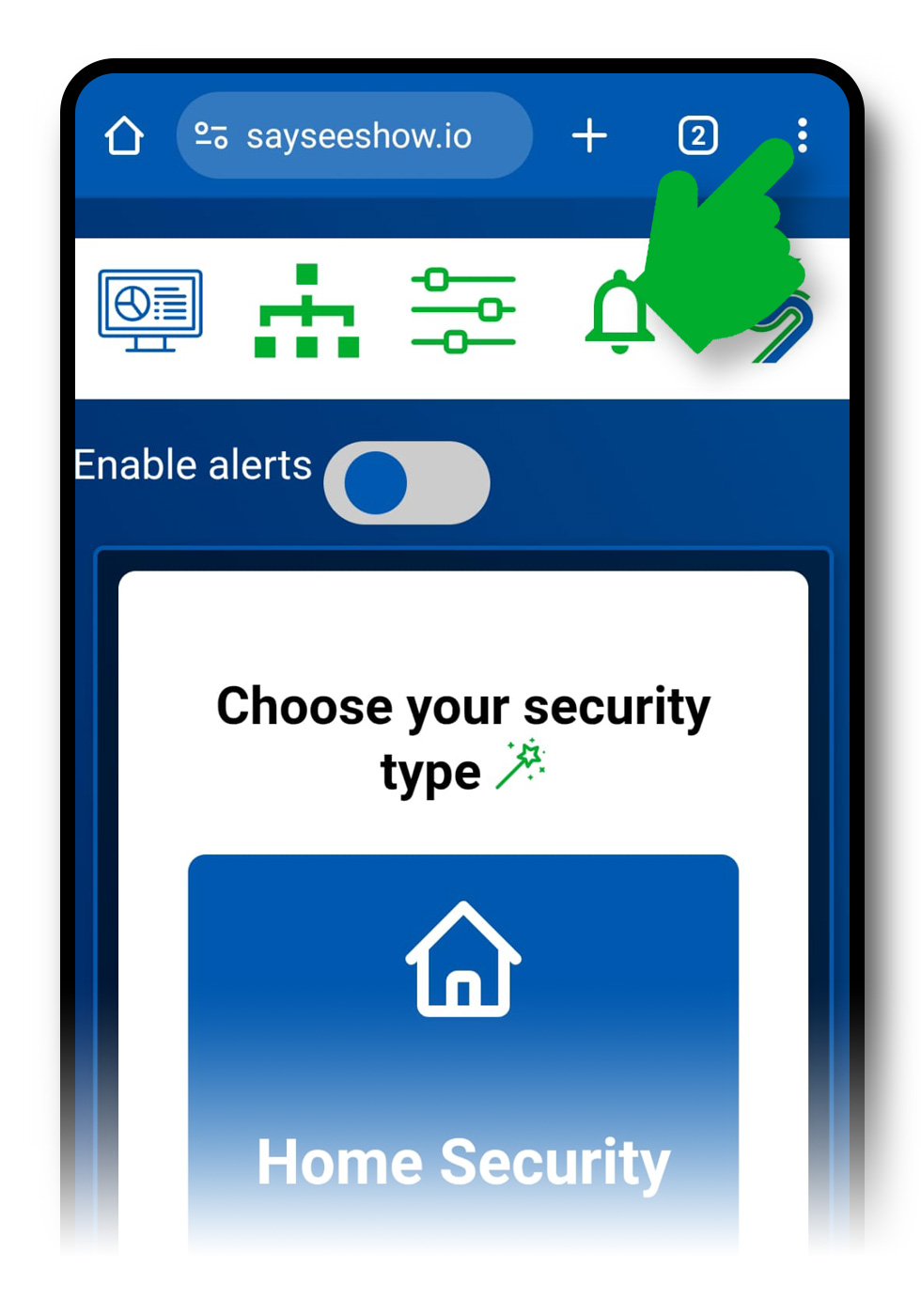
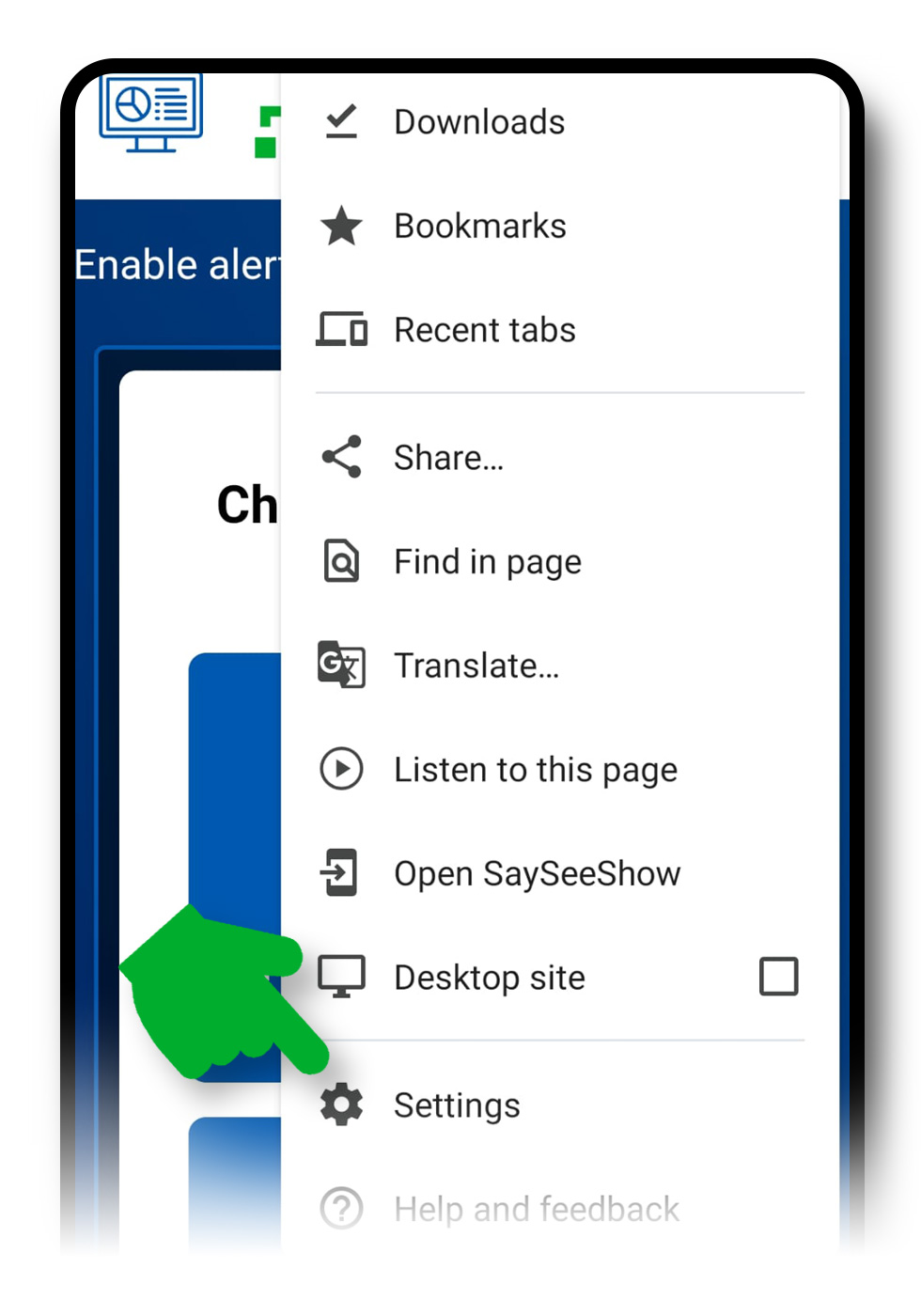
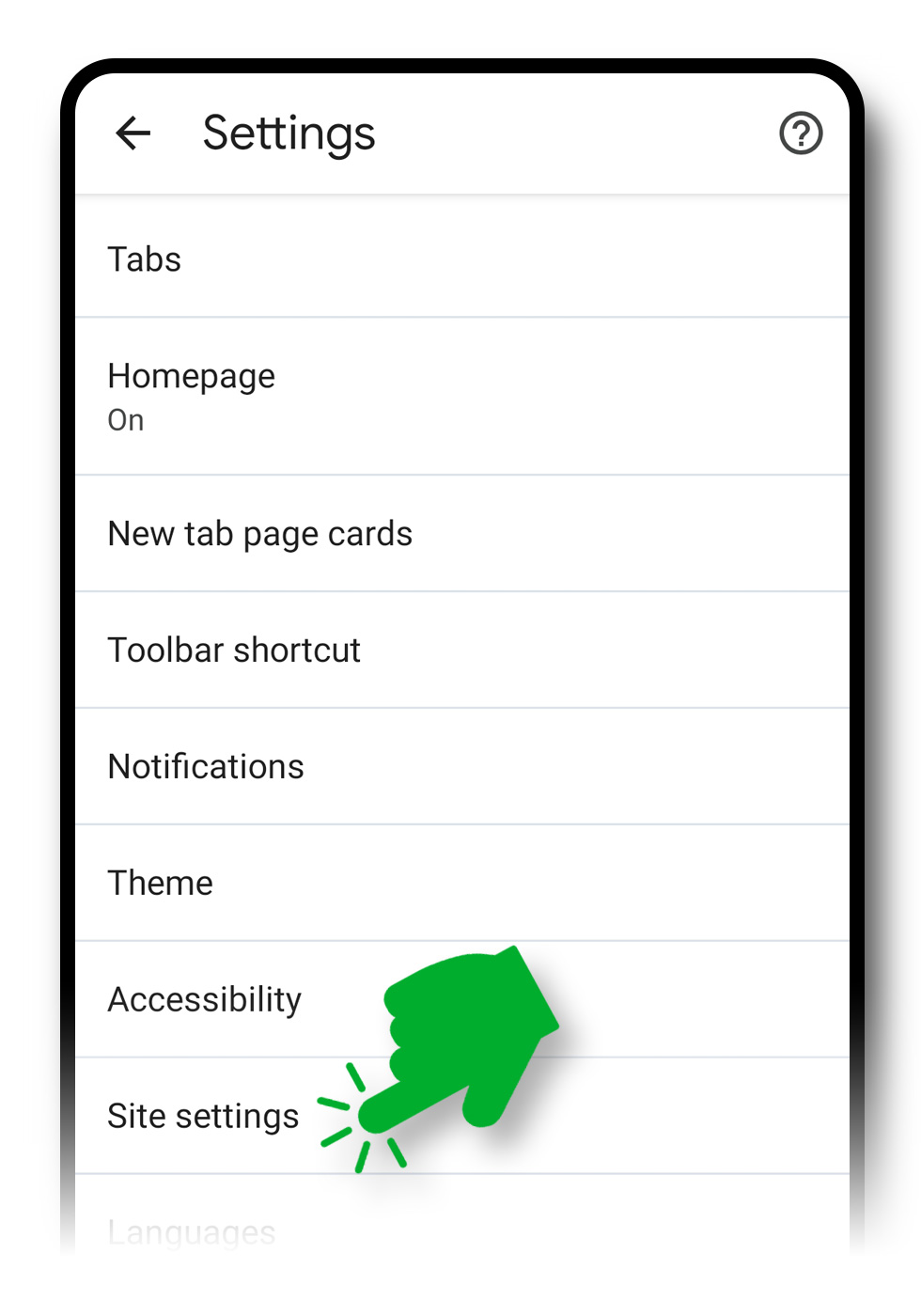
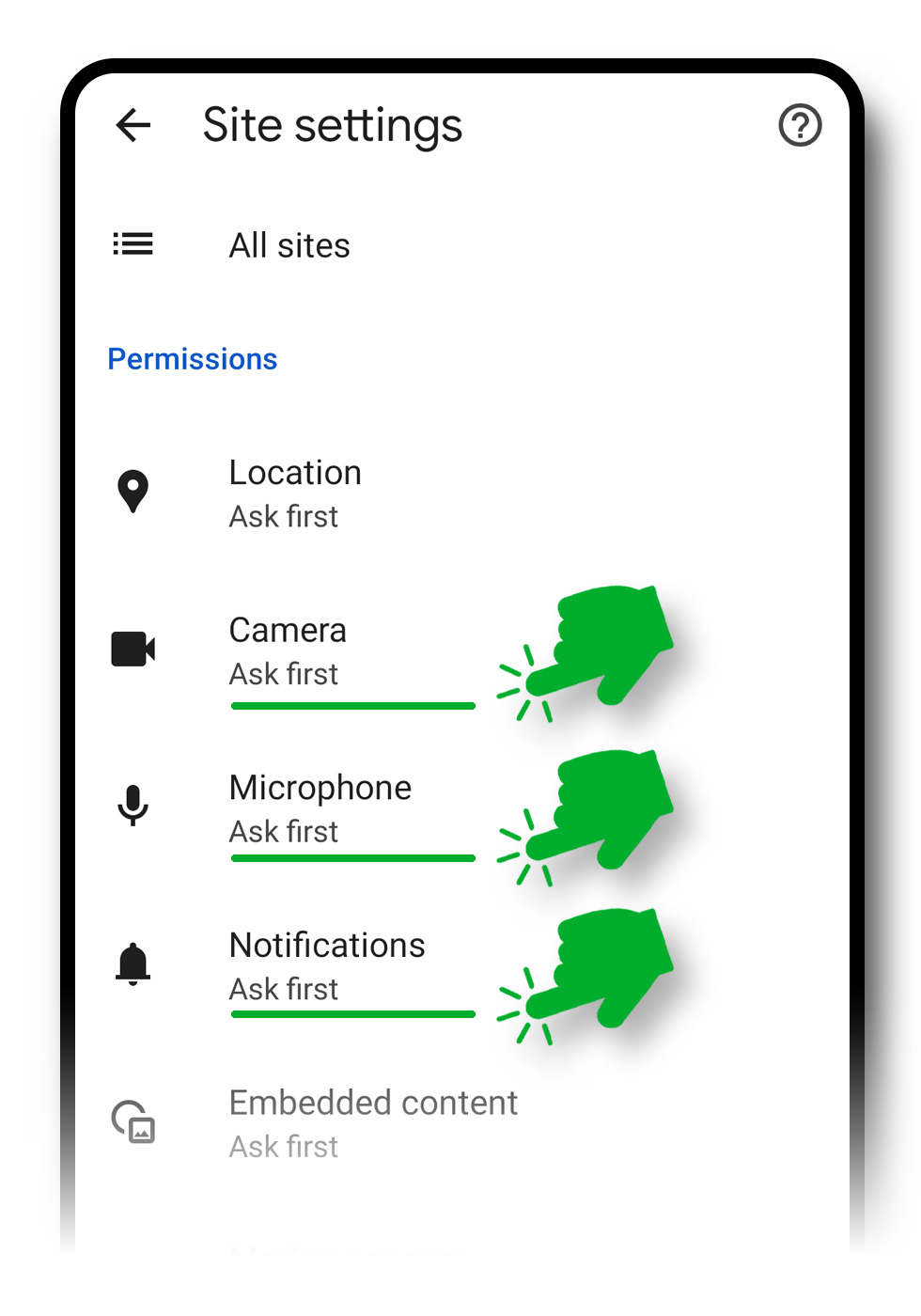
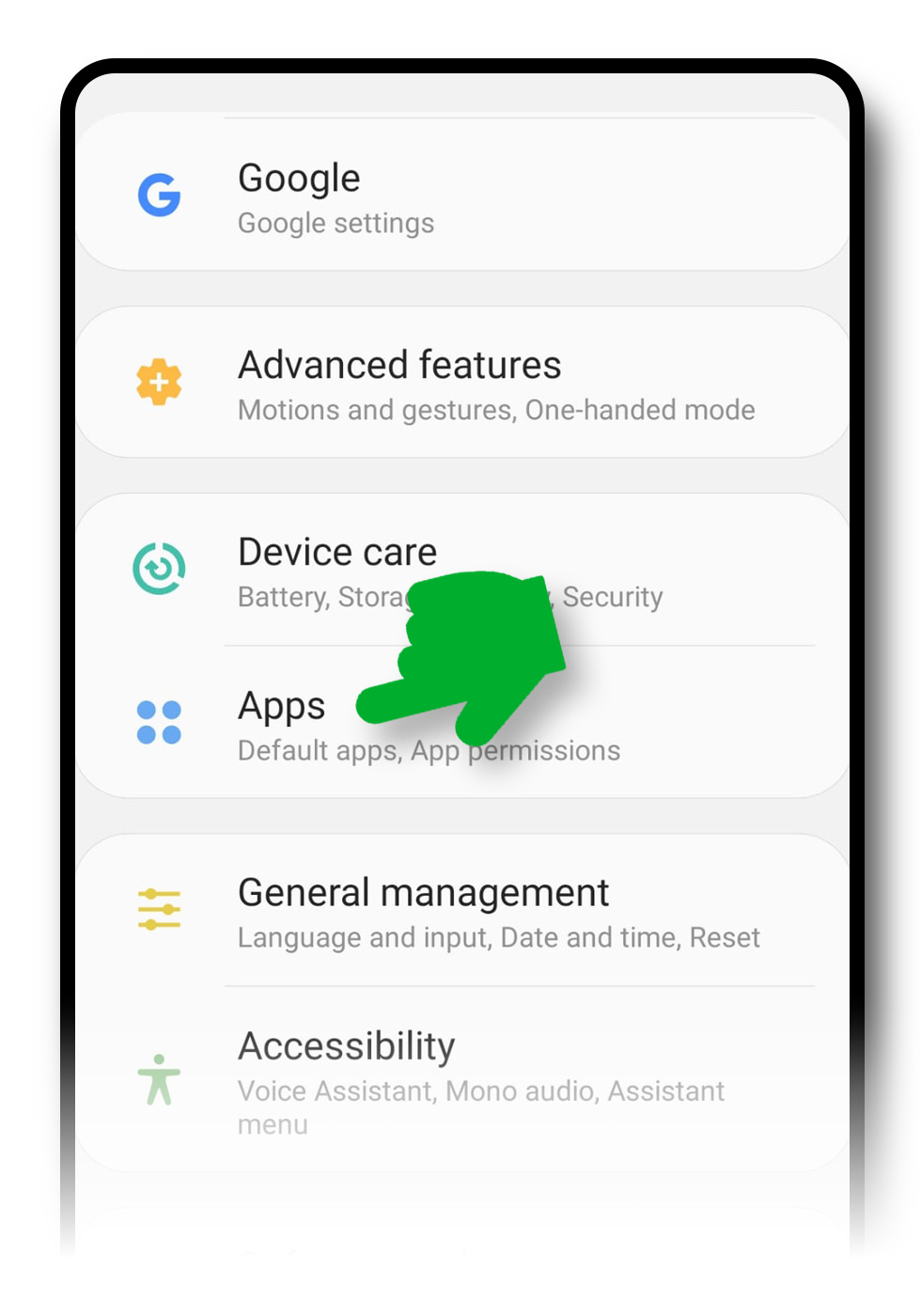
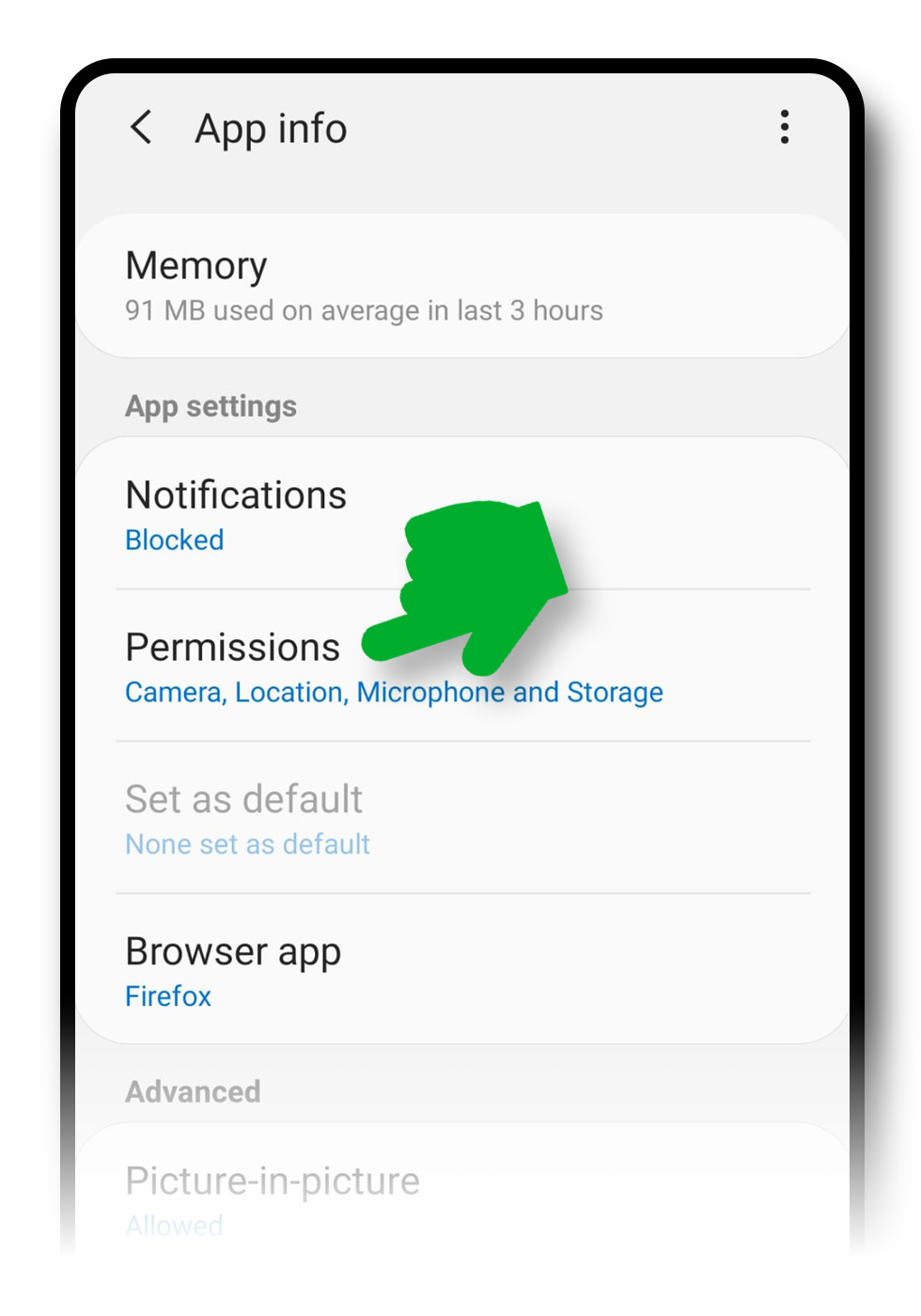
Since the application runs in your Chrome browser, you have to allow the camera and the microphone for Chrome by adjusting the general settings of your smartphone:

Go through the installation step by step to start again from a clean slate.
ReadCheck that the devices are paired and that each one shows Connected.
ReadThe essential everyday gestures in the application, from enabling alerts to the settings.
ReadWrite to us: we reply gladly, and your question will enrich this page.