Getting started
Pair the devices, name the machines, share access to the alerts.
Read
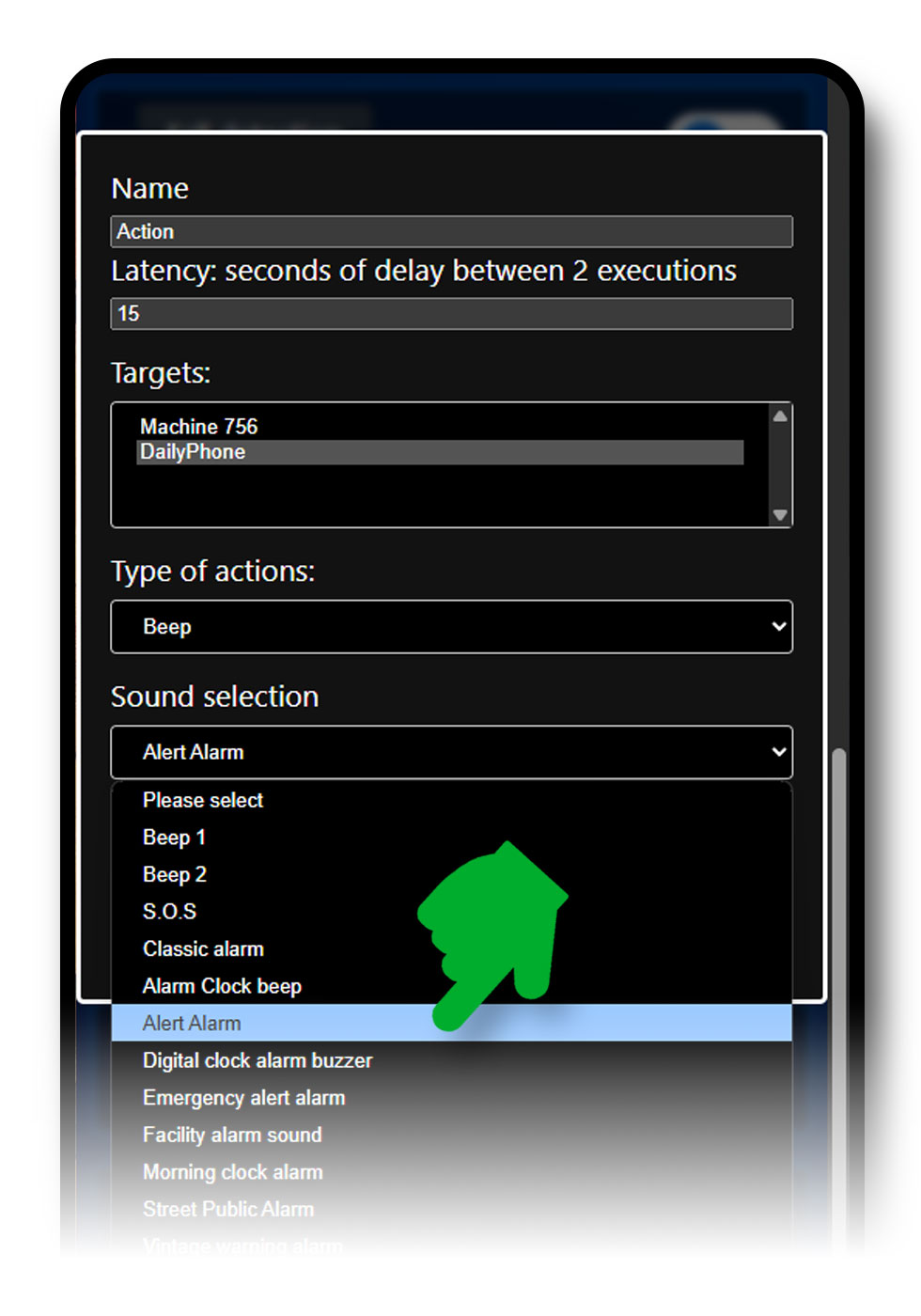
For each detection you can attach a reaction: a beep, a notification or a spoken sentence. You also choose who is told: the device that detected, or another paired smartphone.
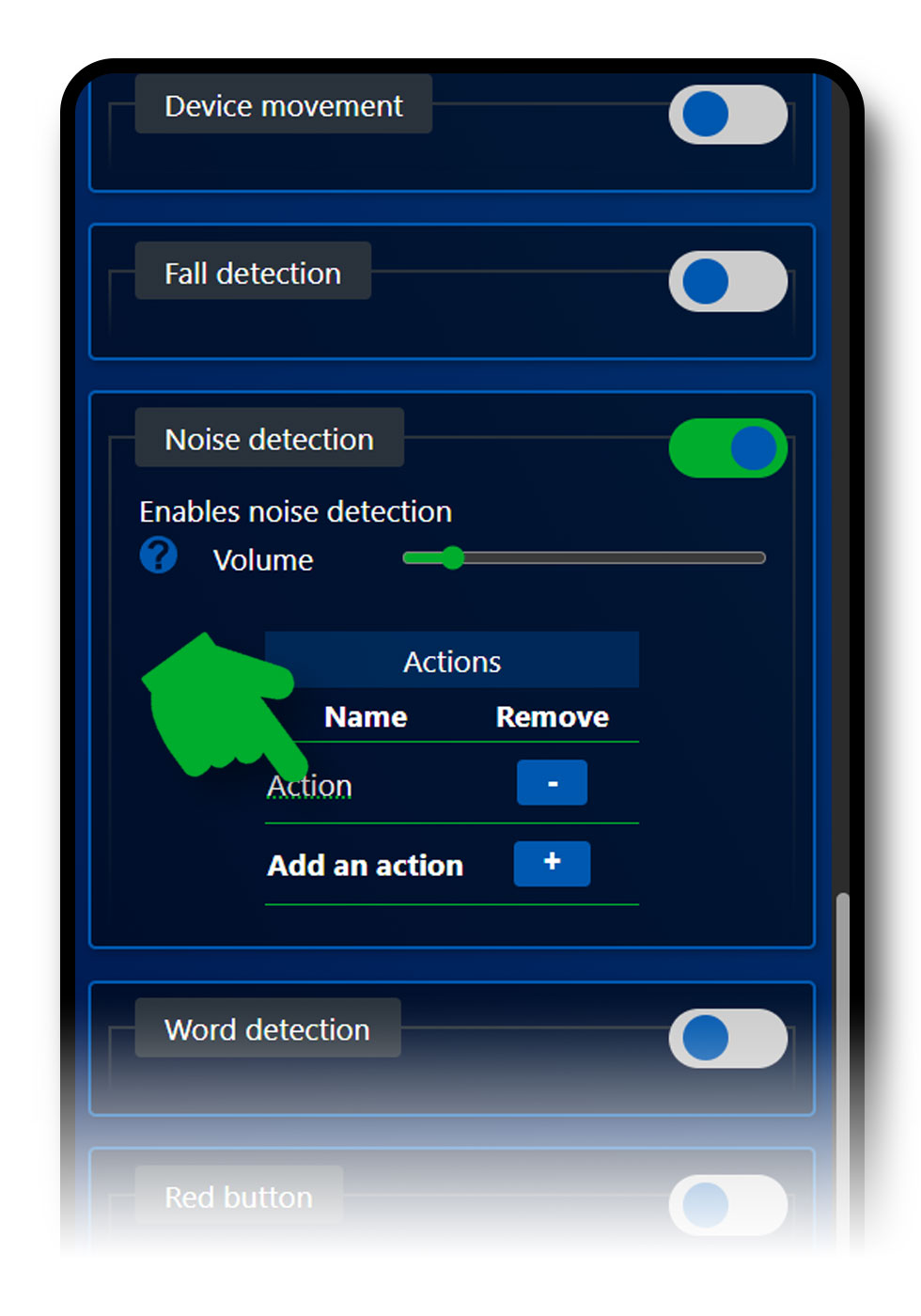
Open the Settings menu, then click on the word action for the detection you chose, here Noise Detection.
If you chose Notification or Speak, the application offers you to enter the text that will alert you or that will be spoken during an alert.

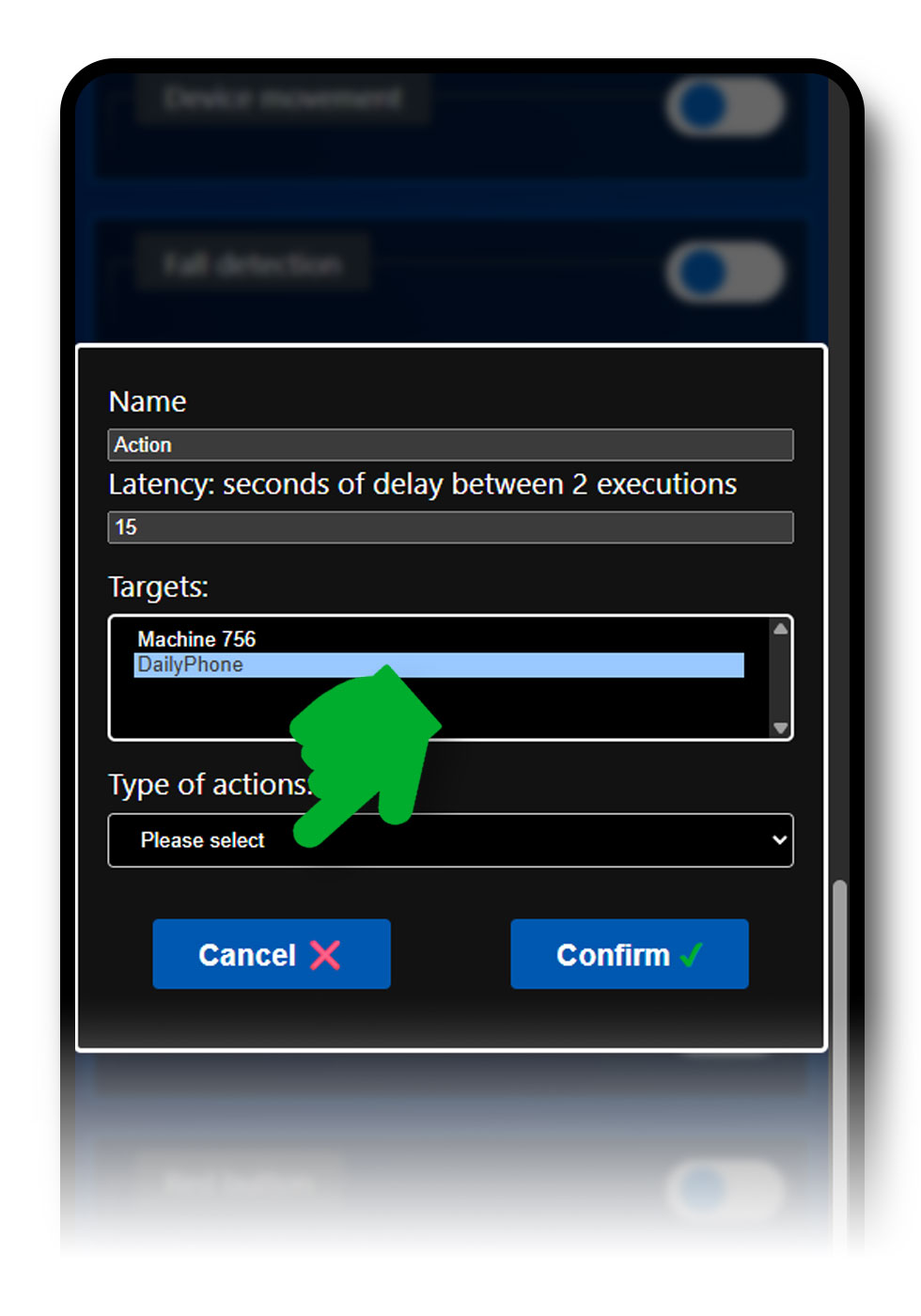
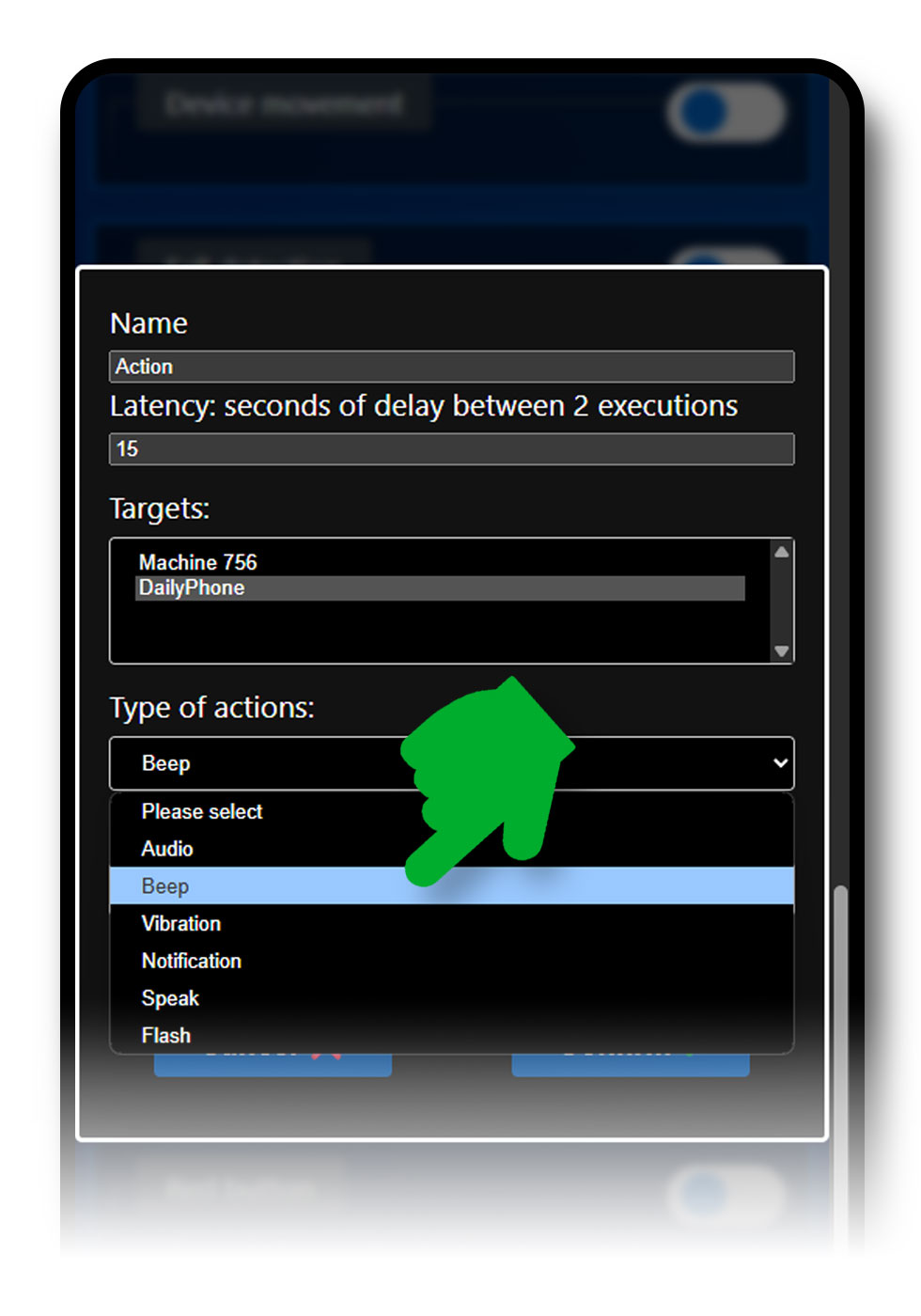
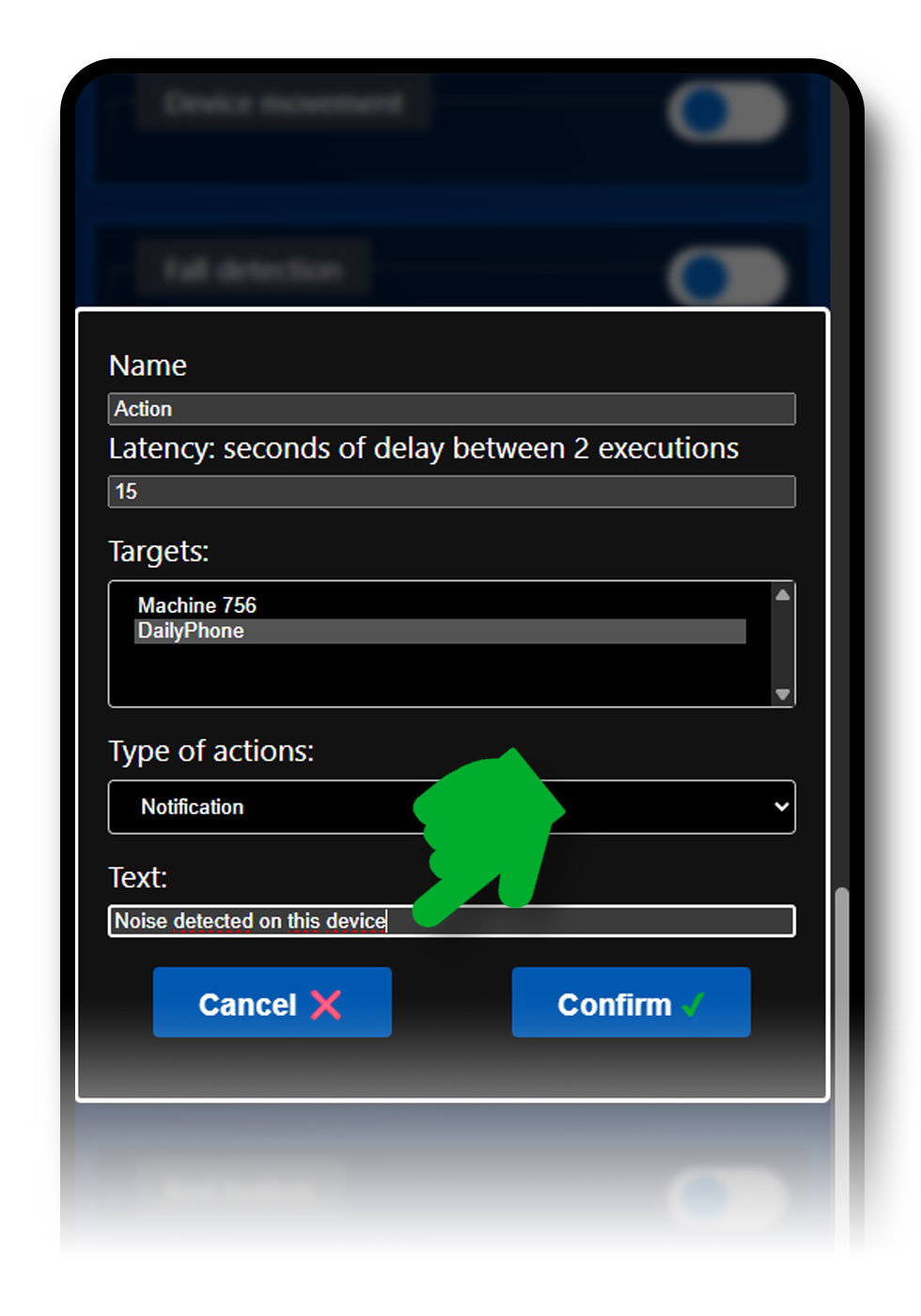
You can trigger the alert on the device used for detection (local mode) or on another device. Having named your devices beforehand will be very useful, see the Name your smartphone section.
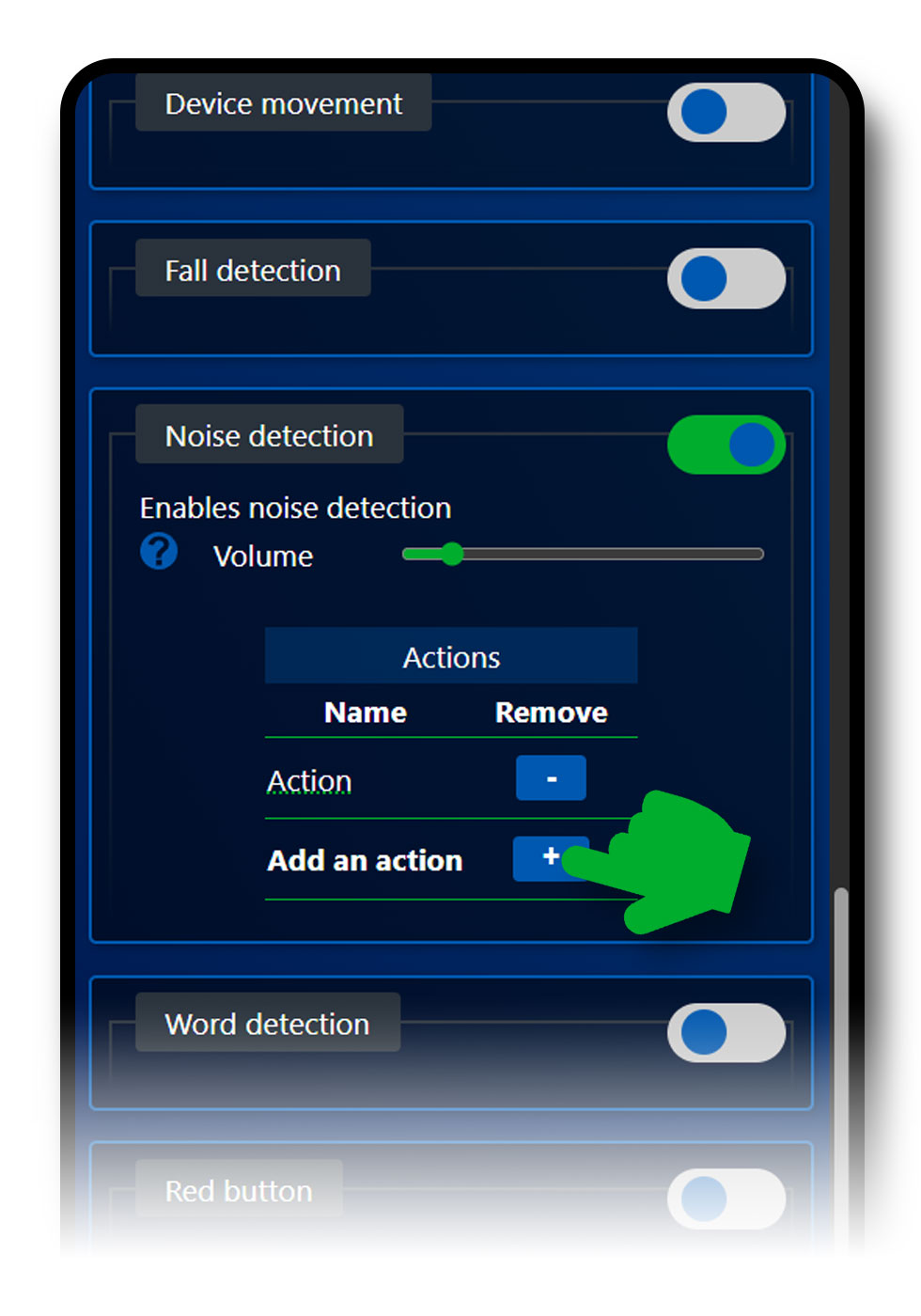
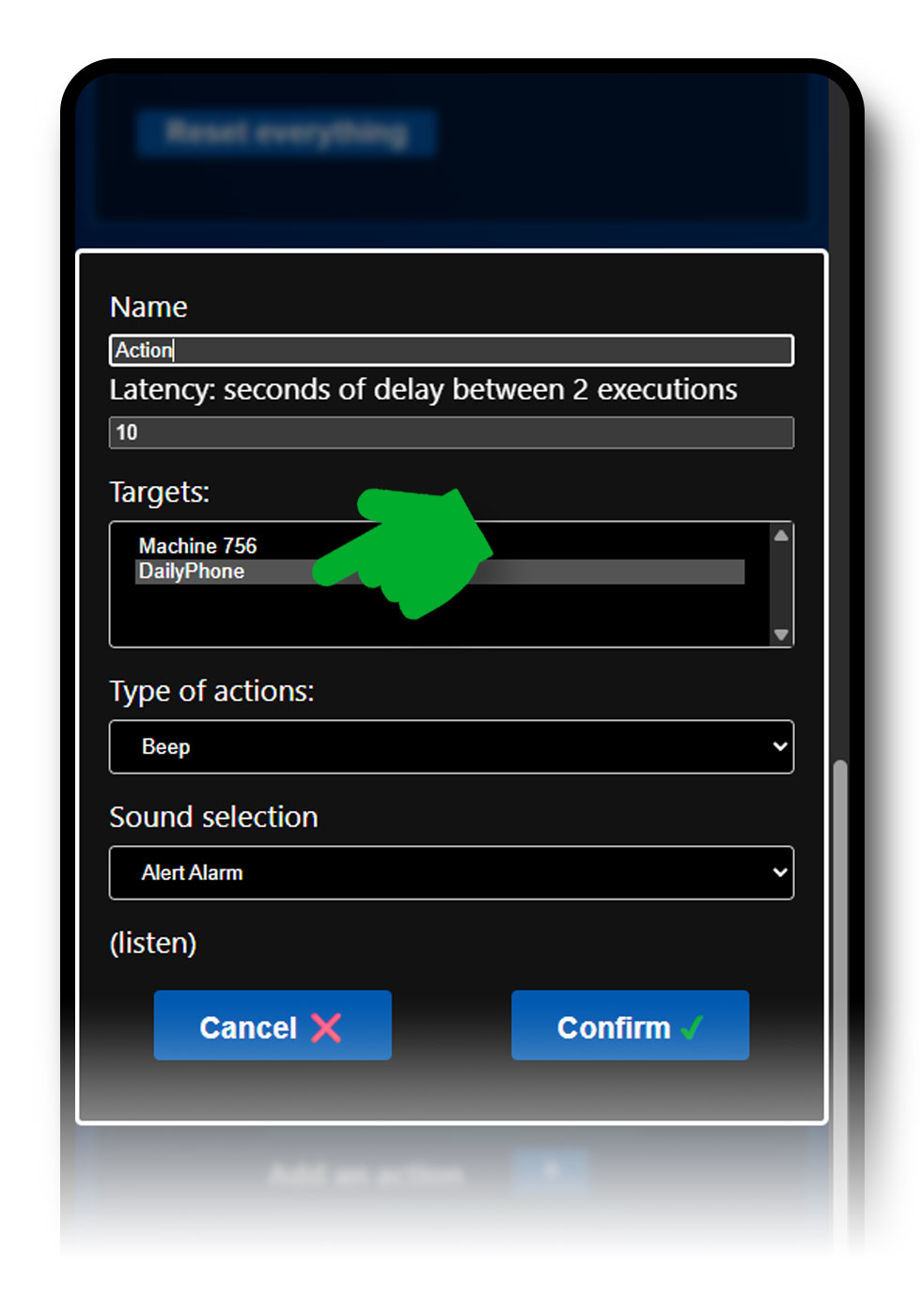
A single detection, here Noise Detection, can carry several types of alerts. Click on Add an action: each action is added to the list and triggers its own reaction, on the target you have chosen.
Yes: the list of actions for a detection can be changed from the same menu. Open the action concerned to change its name, its reaction type, its sound or its target, and confirm again with Confirm.
If a trigger seems too sensitive to you, start by adjusting the settings of the detection itself, before changing the actions: see Visual movement detection.
Write to us: we reply gladly, and your question will enrich this page.